

Cognitive rehabilitation software
Structured cognitive exercises for stroke and brain-injury rehab, scored as you go.
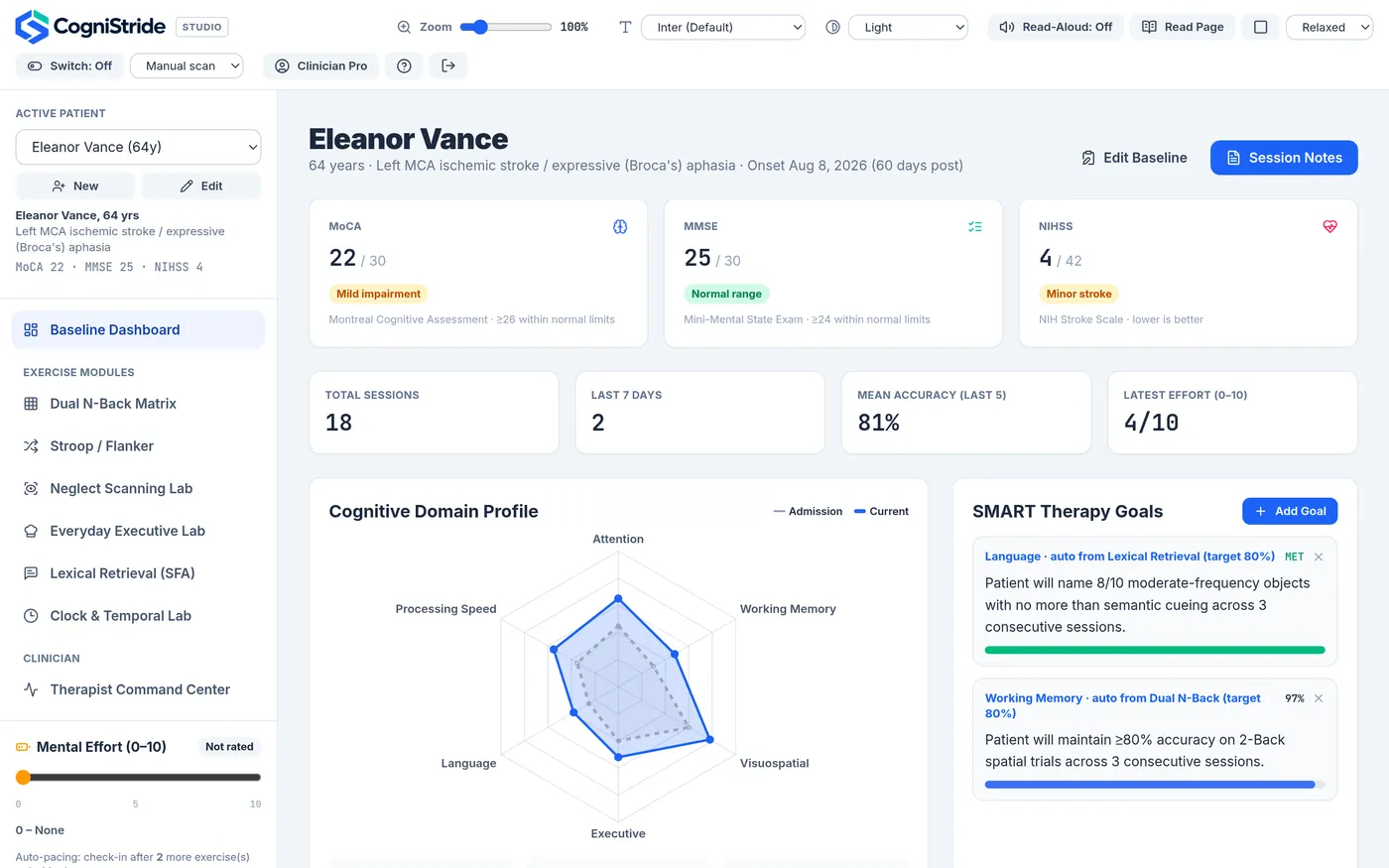
CogniStride runs working memory, inhibition, visual scanning, everyday executive, word-finding and clock tasks in the browser. It records accuracy, reaction times and cue levels automatically, checks mental effort between exercises, and keeps patient data on your device.
- Runs in any modern browser, nothing to install
- Patient records stay on your device
- Zoom, readable fonts, read-aloud, switch access
- From $9.99/month · 14-day free trial
What is CogniStride?
CogniStride is a web application for practising and documenting cognitive rehabilitation exercises. It is designed for occupational therapists, speech-language pathologists and other rehabilitation clinicians working with people after stroke or traumatic brain injury, and for individuals who want structured practice at home.
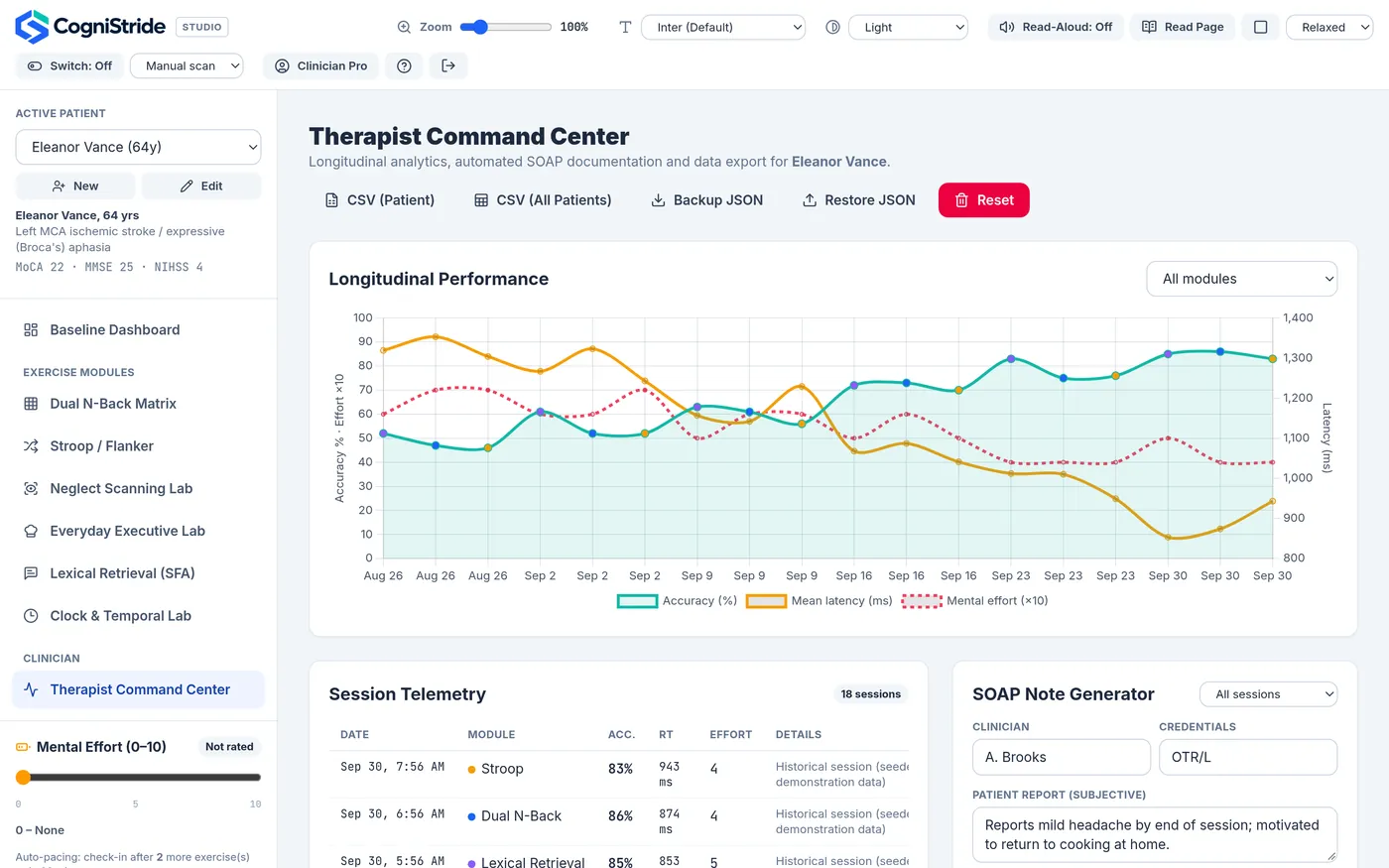
Each exercise follows a published task format, such as the n-back, Stroop, star cancellation, semantic feature analysis or the clock drawing task, and records results the moment the exercise ends. Results build up into a profile and progress chart for each patient, and Clinician Pro can turn recorded sessions into a draft SOAP note.
CogniStride is a practice and documentation tool. It does not diagnose conditions, and the clinical screening scores it stores (MoCA, MMSE, NIHSS) are entered by you, not administered by the app.
Why it exists
The exercises produce numbers. Writing them down shouldn’t take longer than the session.
Cognitive therapy often relies on a stopwatch, paper cancellation sheets counted by hand, separate apps for each task and notes written up afterwards. CogniStride keeps the exercise and its record in one place.
| Task | Typical approach | In CogniStride |
|---|---|---|
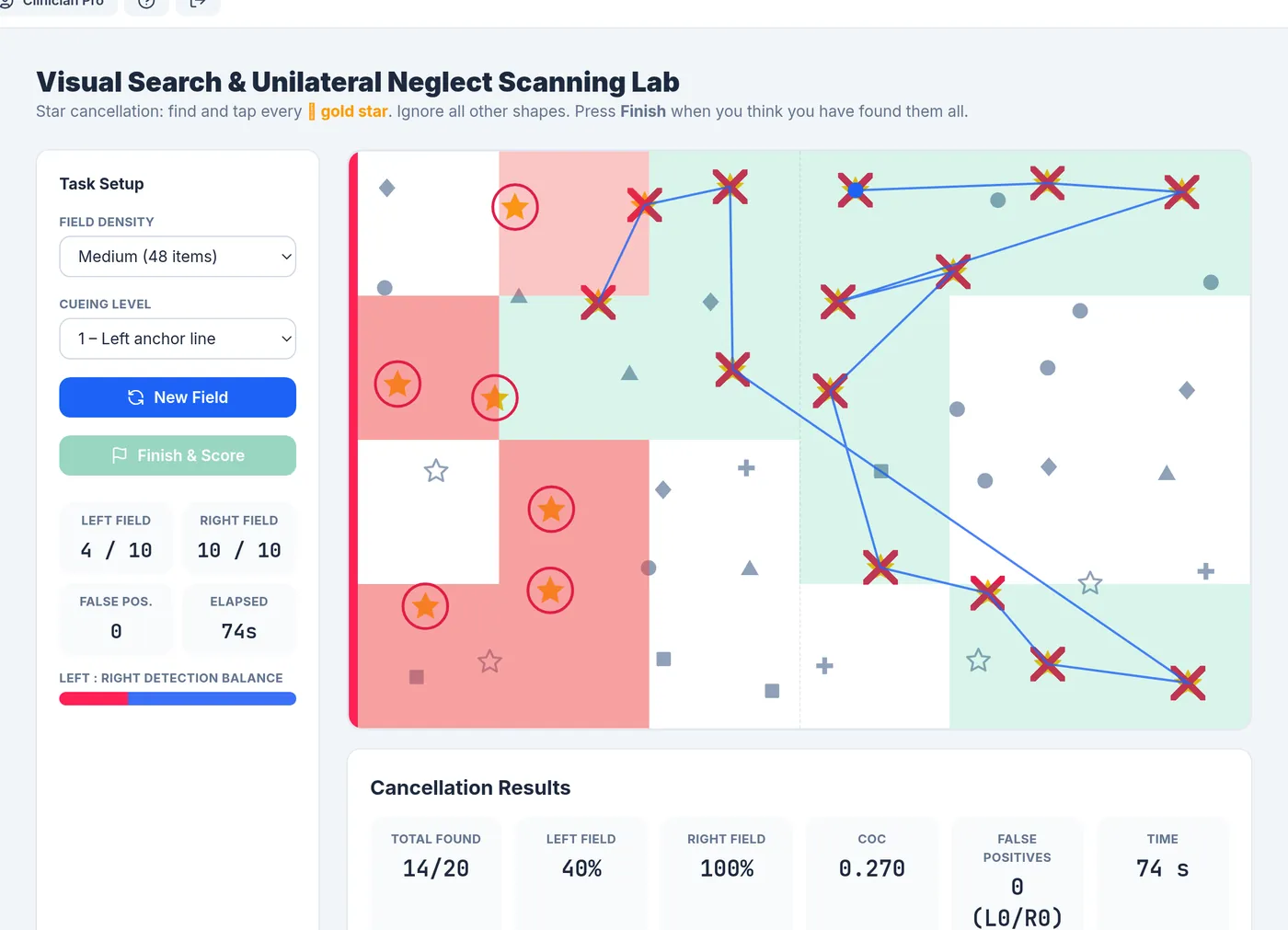
| Scoring a cancellation sheet | Count targets per side by hand | Left/right rates, centre of cancellation and a heatmap when the patient finishes |
| Measuring reaction time | Stopwatch or not measured | Millisecond timing on every N-Back, Stroop and Flanker response |
| Tracking cue level in naming | Tally marks on a cue sheet | Cue level and time recorded for every item, summarised per block |
| Watching for fatigue | Ask when it seems needed | Effort check-ins after every two exercises or 15 minutes, with a guided break at 7/10 or higher |
| Writing the note | From memory, after the session | A SOAP draft built from the recorded results (Clinician Pro), ready to edit |
Exercise modules
Six modules, each tied to a familiar task format
- Working memory Dual N-Back 1- to 4-back blocks using position, sound or both. Records: Hits, misses, false alarms, d′, reaction time
- Inhibition Stroop & Flanker Colour-word and arrow conflict trials, with optional distractors. Records: Accuracy, interference cost (ms), omissions
- Visual scanning Star cancellation Find every target star, with up to four levels of left-side cueing. Records: Left/right detection, centre of cancellation, heatmap
- Executive function Everyday tasks Order recipe steps, manage three timed burners, work out change. Records: Attempts, on-time responses, premature errors
- Language Word finding (SFA) Picture naming with a feature chart and a five-step cue ladder. Records: Cue level needed per item, time to name
- Time & orientation Clock drawing & time Draw-a-clock, time estimation, orientation and money arithmetic. Records: 0–5 clock score, estimation error, orientation score
How a session runs
Choose the patient, run the exercise, rate the effort. The record writes itself.
-
1
Open the patient’s profile
Baseline scores, goals and a domain profile are on the dashboard.
-
2
Run an exercise module
Settings such as N-back level, cueing level or response window are adjusted per session.
-
3
Results are logged when it ends
Accuracy, timing and module-specific measures go straight into the session history.
-
4
Check mental effort
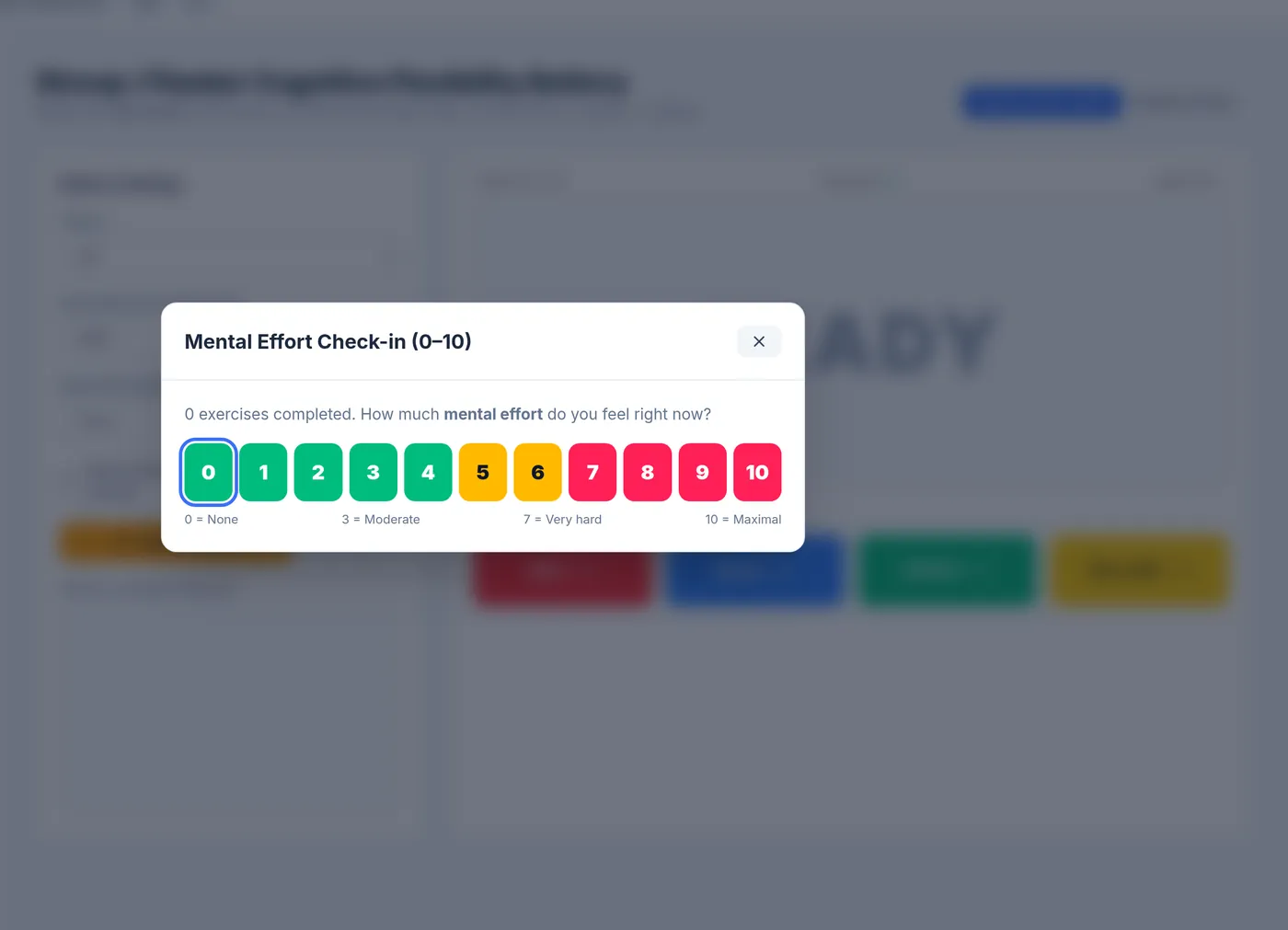
A 0–10 rating after every two exercises; 7 or higher starts a two-minute breathing break.
Pacing built into every session
Mental fatigue is common after brain injury and stroke. CogniStride asks for a 0–10 effort rating at regular points, logs it next to each result and starts a guided breathing break when the rating is high, so effort is documented alongside performance.
How fatigue pacing works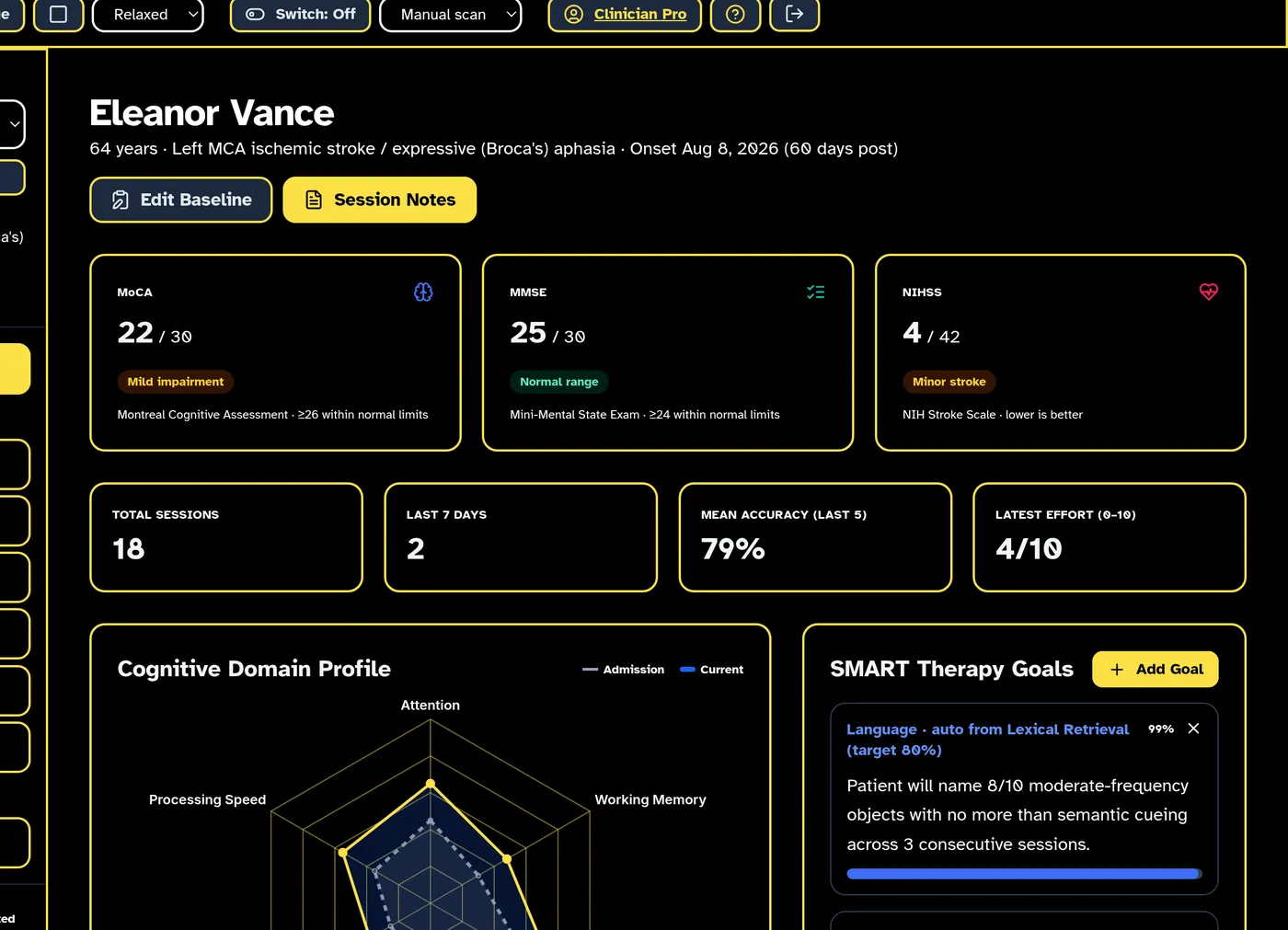
Usable with low vision, aphasia or limited movement
Zoom up to 200%, switch to Atkinson Hyperlegible or OpenDyslexic, use a high-contrast theme, have text read aloud, or operate everything with a single switch using automatic scanning.
See the accessibility toolsDocumentation
From session results to a note you can edit
- Accuracy, latency and effort charted over time for each patient and module
- A full session table with every result and its details
- SOAP note drafts assembled from recorded sessions (Clinician Pro)
- CSV export for your own records or EMR attachments
Where patient data lives
Patient records stay in your browser
Patient profiles, session results and drawings are stored in the browser on the device you use, separately for each CogniStride account. Our servers hold your account and subscription details, not your patients’ records.
The trade-off: records do not sync between devices, and clearing the browser’s site data deletes them. Clinician Pro includes a backup file you can download and restore.
How on-device storage worksWho uses CogniStride
Clinicians
Occupational therapists, speech-language pathologists and rehab clinicians who run cognitive sessions and need the results documented. Manage up to 15 patients on Basic or an unlimited caseload on Pro.
CogniStride for cliniciansIndividuals and caregivers
People recovering from stroke or brain injury who want regular, structured practice at home, often alongside therapy. One personal profile with all six exercise modules.
CogniStride at homeWhat CogniStride does not do
- It does not diagnose, screen for or treat any condition, and its scores are not validated clinical measures.
- It does not administer the MoCA, MMSE or NIHSS. You can record scores from assessments you have given.
- It does not replace a therapist’s judgement about what a patient should practise or how hard.
The task formats behind each module, and their original publications, are listed on Methods & references.
Common questions
Do I need to install anything?
No. CogniStride runs in a current version of Chrome, Edge, Firefox or Safari on a computer or tablet. Voice answers in the word-finding module need Chrome or Edge.
How does the free trial work?
Every plan starts with a 14-day trial. A card is required at checkout but nothing is charged until the trial ends, and you can cancel from your account before then. One trial per account.
Can patients use it at home?
Yes, with their own Individual plan. Clinician and individual accounts are separate, and data is not shared between them.
What are the demo patients?
Clinician accounts include three read-only demo patients so you can try every module. They do not count toward your plan, and nothing you do with them is saved or exported.
Try CogniStride free for 14 days
Every plan starts with a 14-day free trial. Cancel before it ends and you are not charged.