

Accessibility
Accessibility tools built into the studio
People recovering from stroke or brain injury may have low vision, aphasia, fatigue or limited hand movement. The CogniStride toolbar is always at the top of the studio, and every setting is remembered for the account on that device.
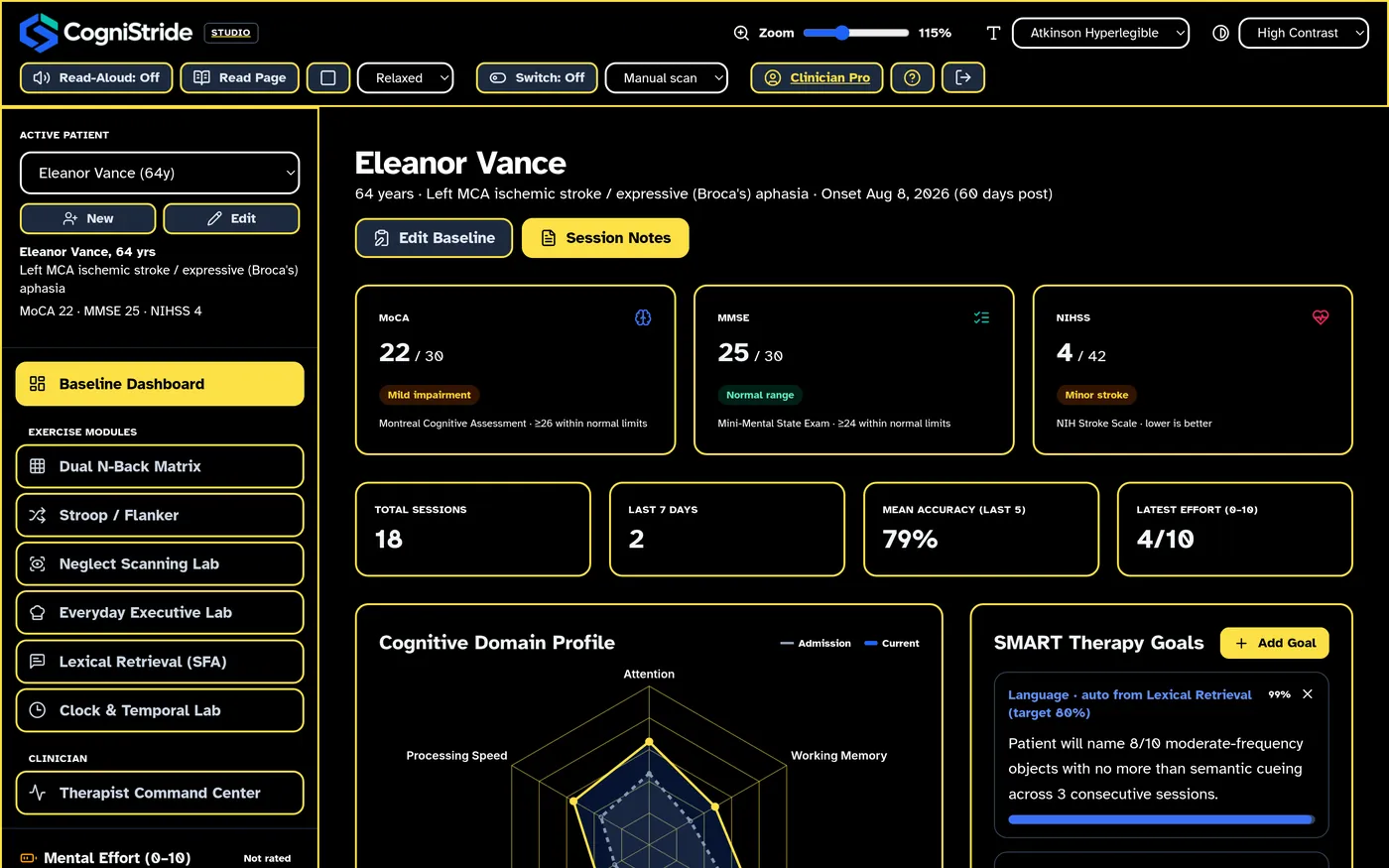
The toolbar
| Zoom | 80% to 200%. Text and layout reflow instead of scaling as an image. |
|---|---|
| Font | Inter, Atkinson Hyperlegible or OpenDyslexic |
| Theme | Light, dark or high contrast (black and yellow) |
| Read-aloud | Click any text to hear it; “Read page” reads the current screen; three speeds |
| Switch control | Step-by-step or automatic scanning |
Switch control
Switch control lets someone use the whole studio with one or two switches, or the keyboard, without a mouse. The selected control has a thick amber outline.
- Manual scanning: Space moves to the next control, Shift+Space goes back, and Enter selects it.
- Automatic scanning: the highlight moves on its own every 1.5, 2.5 or 4 seconds, and a single switch mapped to Space selects the highlighted control.
- Drop-down lists step through their options and sliders step through their values, so every setting can be changed with a switch.
- When a dialog is open, scanning stays inside it. Esc leaves a text field.
Exercises that need dragging also have button alternatives, such as the ▲ ▼ buttons for reordering recipe steps.
Designed into the exercises
- N-Back: letters can be shown on screen as well as spoken, and the pace can be slowed to 3.5 seconds.
- Stroop & Flanker: a 5-second response window for slower movement.
- Word finding: spoken cues and voice answers (Chrome and Edge).
- Clock drawing: a thick pen option for tremor, and a pre-drawn circle when appropriate.
- Neglect scanning: visual and spoken cues to start on the left.
- Pacing: large 0–10 effort buttons and guided breaks.
- Animations are reduced when the device’s “reduce motion” setting is on.
This website
We aim for the public site and account pages to meet WCAG 2.2 level AA: semantic headings and landmarks, visible keyboard focus, text alternatives for images, labelled form fields with clear error messages, and sufficient colour contrast. If something on cognistride.app is hard to use, please tell us at support@cognistride.app and we will work on it.
Try CogniStride free for 14 days
Every plan starts with a 14-day free trial. Cancel before it ends and you are not charged.