

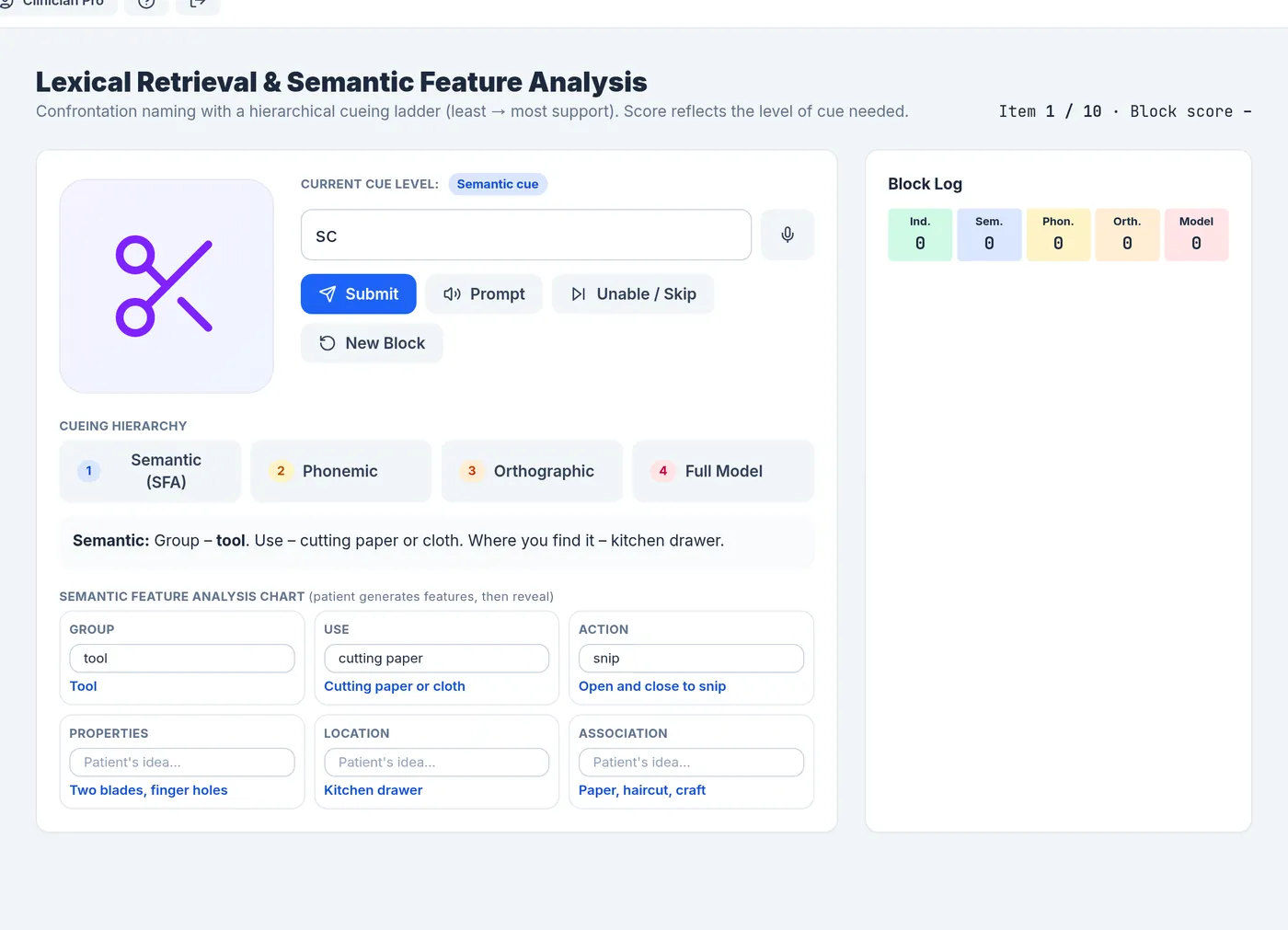
How an item works
- A picture appears. The patient tries to name it by typing or by speaking into the microphone.
- If retrieval is difficult, the clinician (or patient) moves up the cueing ladder. After two incorrect answers at one level, CogniStride offers the next cue automatically.
- A correct answer records the highest cue level used and the time taken. “Unable / skip” records the item as not named and shows the word.
The cueing ladder
| Level | Cue | Item score |
|---|---|---|
| 0. Independent | No help | 100 |
| 1. Semantic | Group, use and location; reveals the feature analysis chart | 80 |
| 2. Phonemic | The first sound, a word that starts the same way, and the syllable count | 60 |
| 3. Orthographic | The first letters and the number of letters | 40 |
| 4. Full model | The word is shown and spoken, for repetition | 20 |
The block score is the average item score, and the block summary counts how many items were named at each level.
Semantic feature analysis chart
Below each picture is a chart with six features: group, use, action, properties, location and association. In semantic feature analysis the person generates these features themselves before naming. The chart has a box for each so the patient’s ideas can be typed in, and the model answers are revealed with the semantic cue.
Answers and voice input
Typed answers accept common alternatives and plurals (for example bike for bicycle, spectacles for glasses) and ignore a leading “a” or “the”. Voice answers use the browser’s speech recognition, available in Chrome and Edge, and check several possible transcriptions against the target.
Limits
The item set is small and in English only. Choose items and cue levels to suit each patient; the guide Semantic feature analysis & cueing hierarchies covers how SFA and cueing hierarchies are used in practice.